
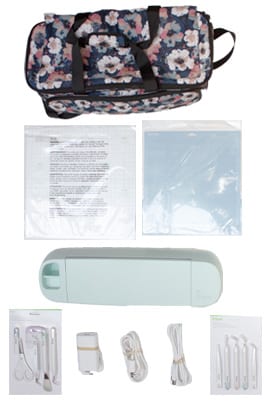
 Model Explorer 3
The Cricut Explore 3 is a fast, precise cutting machine capable of working with over 100 materials.
Setting up the Cricut
Installing Design Space- Go to design.cricut.com and follow the prompts to install the software. Design Space is free to use, but Cricut Access is an optional subscription that requires you to create an account.
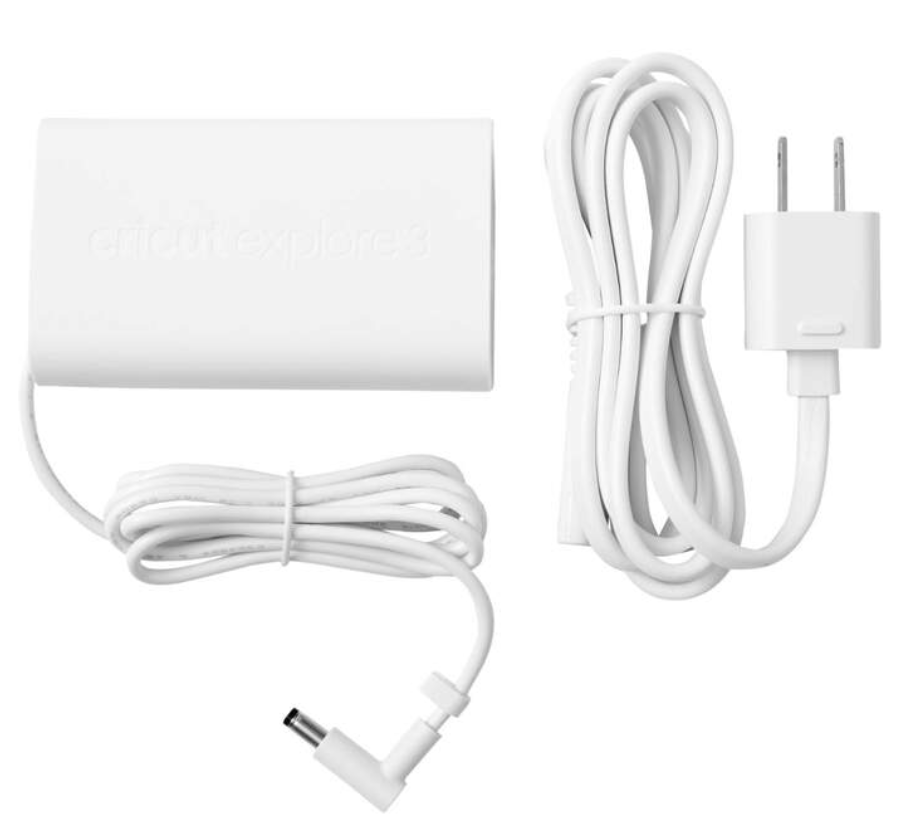
Cables- The Cricut has two tables. Attach the USB cable to the computer and the Cricut, and plug the power adapter into a power source.

Important Tools
Cutting Mat- Used to hold material flat while the Cricut cuts.

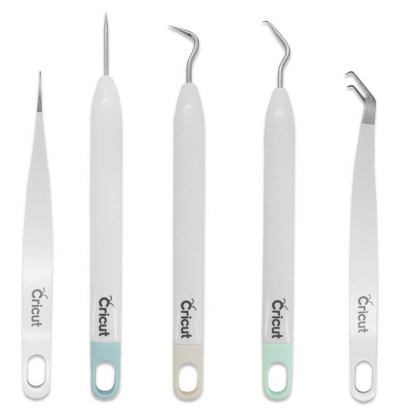
Weeding Tools- Sharp tools used to grab excess material in a process called “weeding.”
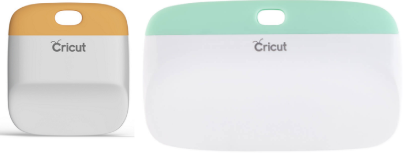
Scrapers- Used to clean unwanted scraps from the cutting mat. Also can be used to smooth and flatten wrinkles in materials.
Questions & Answers
What are the tools for?
The sharp tools are for “weeding,” a process in which you remove excess material from a design before transferring it to a project.
Where can I purchase materials?
Walmart, JoAnn Fabrics, and Amazon all have a wide variety of both Smart Materials and regular materials.
What are Smart Materials?
Cricut Smart Materials are designed to be loaded into the Explore 3 without a cutting mat. If you are using any material other than Smart Materials, use a cutting mat.